Create Simple Web Search Agent using Google ADK Ollama and Craw4AI
In this article we will create web-search agent using google adk,
ollama and crawl4ai instead of google_search tool
Installation
Create venv using python command
1python3.13 -m venv .venv
2source .venv/bin/activate
Let's first install
- google adk
pip install google-adk - ollama
pip install ollama - craw4ai
pip install "crawl4ai"
To make crawl4ai work we need to run command pip install playwright and install necessary dependencies with command
playwright install
Additional system dependencies:
1sudo apt-get install libevent-2.1-7t64 libgstreamer-plugins-bad1.0-0 libflite1 libavif16
Create Agent
Create new agent using command
1adk create simple_search
This command will create simple_search in the project root directory and add agent.py which contains code.
Configure Ollama
We will create llm reference using LlmLite class
1local_model = LiteLlm(model="ollama_chat/llama3.1:8b")
Configure Agent
Create root_agent using following code
 1root_agent = Agent(
 2    model=local_model,
 3    name='LocalAgent',
 4    description='A helpful assistant for user questions.',
 5    instruction="""
 6    You are a helpful researcher.
 7    Use the search_web tool for real-time data.
 8    Use the get_default_time tool for real-time date.
 9    """,
10    tools=[] # This is empty until we define our own search tool
11)
Now that we have model and llm ready lets create a tool which connects to the web and fetches data from the web.
Create Search Tool
 1async def simple_search(query: str) -> str:
 2    """
 3    Search and returns its content in clean Markdown.
 4    Args:
 5        query: query to search the webThe full URL of the page to scrape.
 6    """
 7    print("--------------My search_web tool called ------------")
 8    try:
 9        async with AsyncWebCrawler() as crawler:
10            result = await crawler.arun(url=f'https://www.google.com/search?q={query}')
11            # print('result web scrape:', result)
12            if not result or not result.markdown:
13                return "Error: The page was reached but no readable content was found."
14
15            print('result from web:', len(result.markdown))
16            return result.markdown  # Limit tokens for local LLM
17    except Exception as e:
18        print(e)
19        print("------------- Error search web  -----------------")
20        return "Error: The page was not reachable"
once this tool is created lets connect to agent by adding it function reference in tools array
1tools = [simple_search]
To execute this entire code on web interface, run the following command in the terminal
1adk web --reload_agents
Result
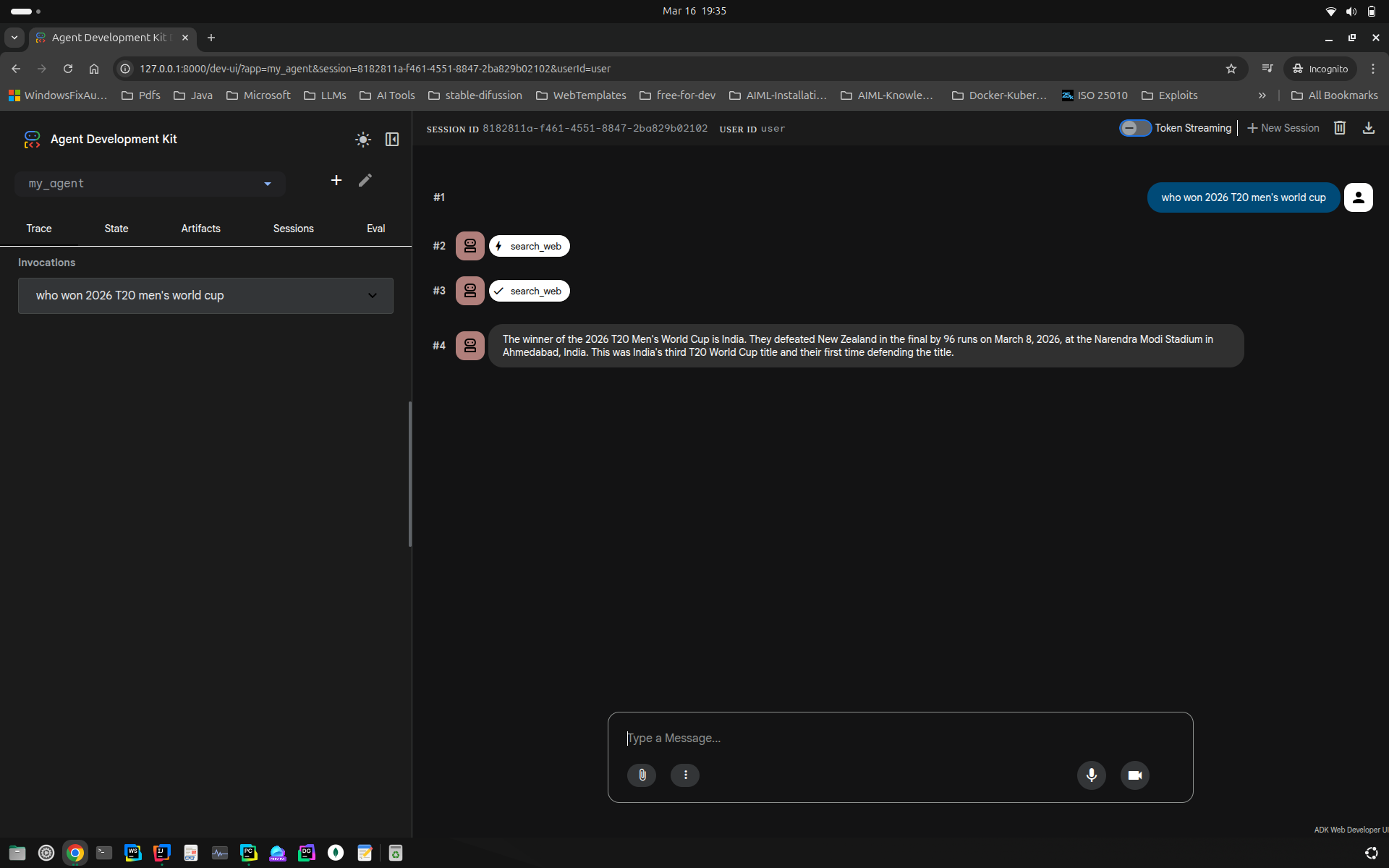
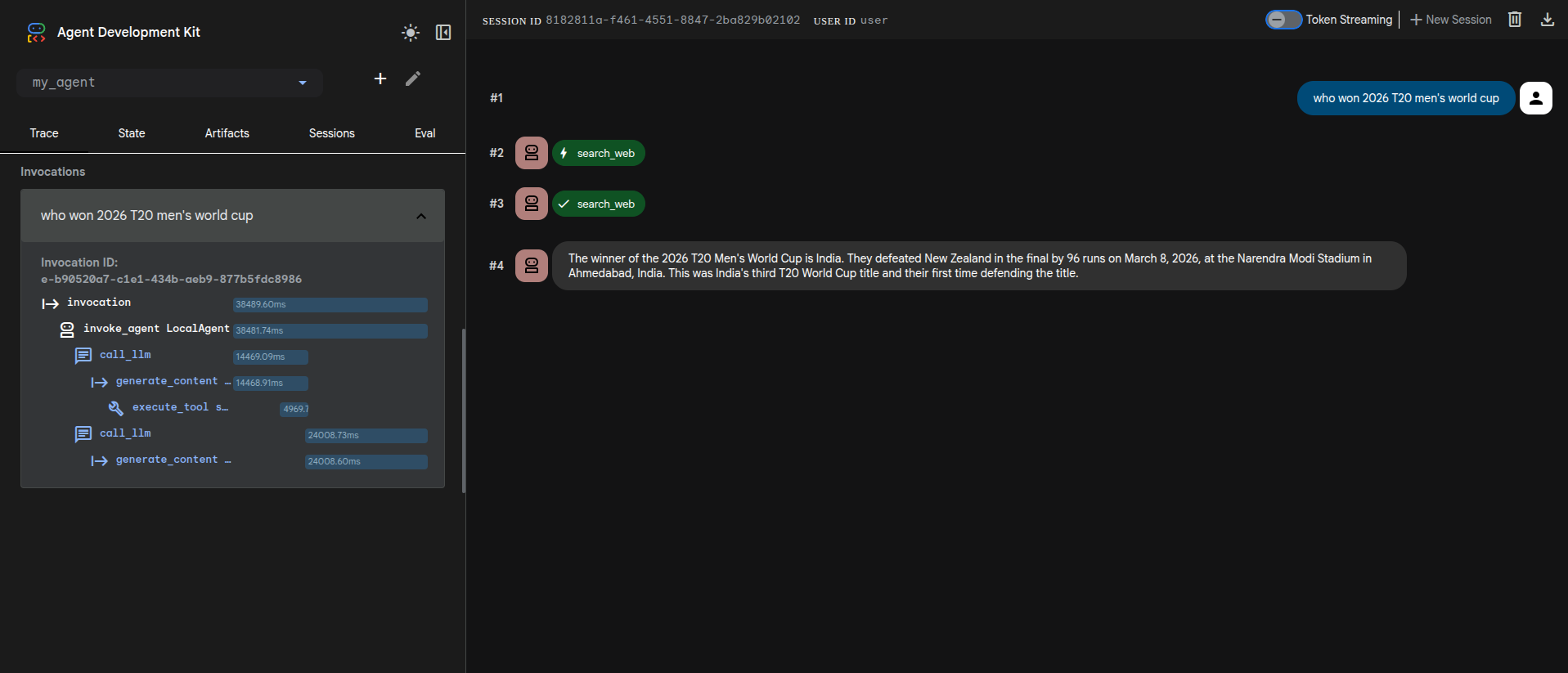
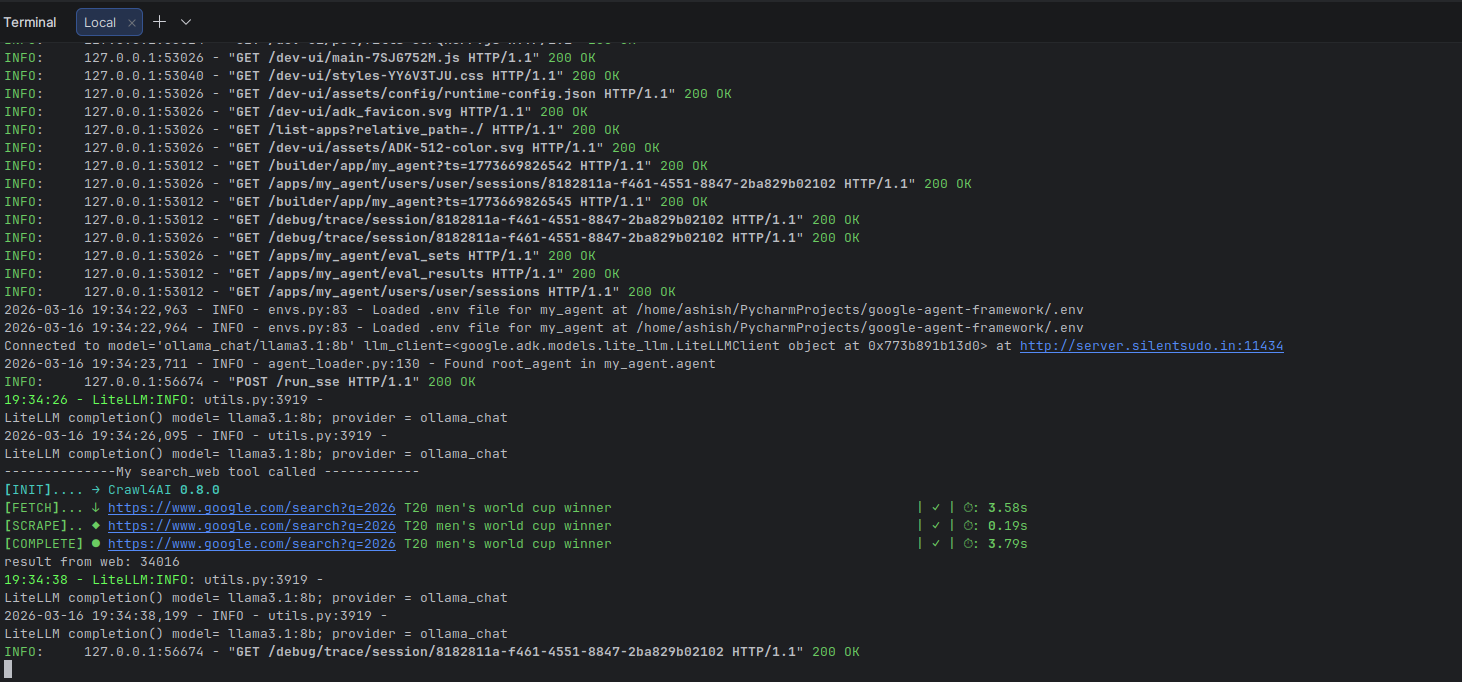
When the user types the query, query is send to llm then to tool function, the result is then sent back to llm and final output is generated.
Web Output
Terminal Output
Thanks!