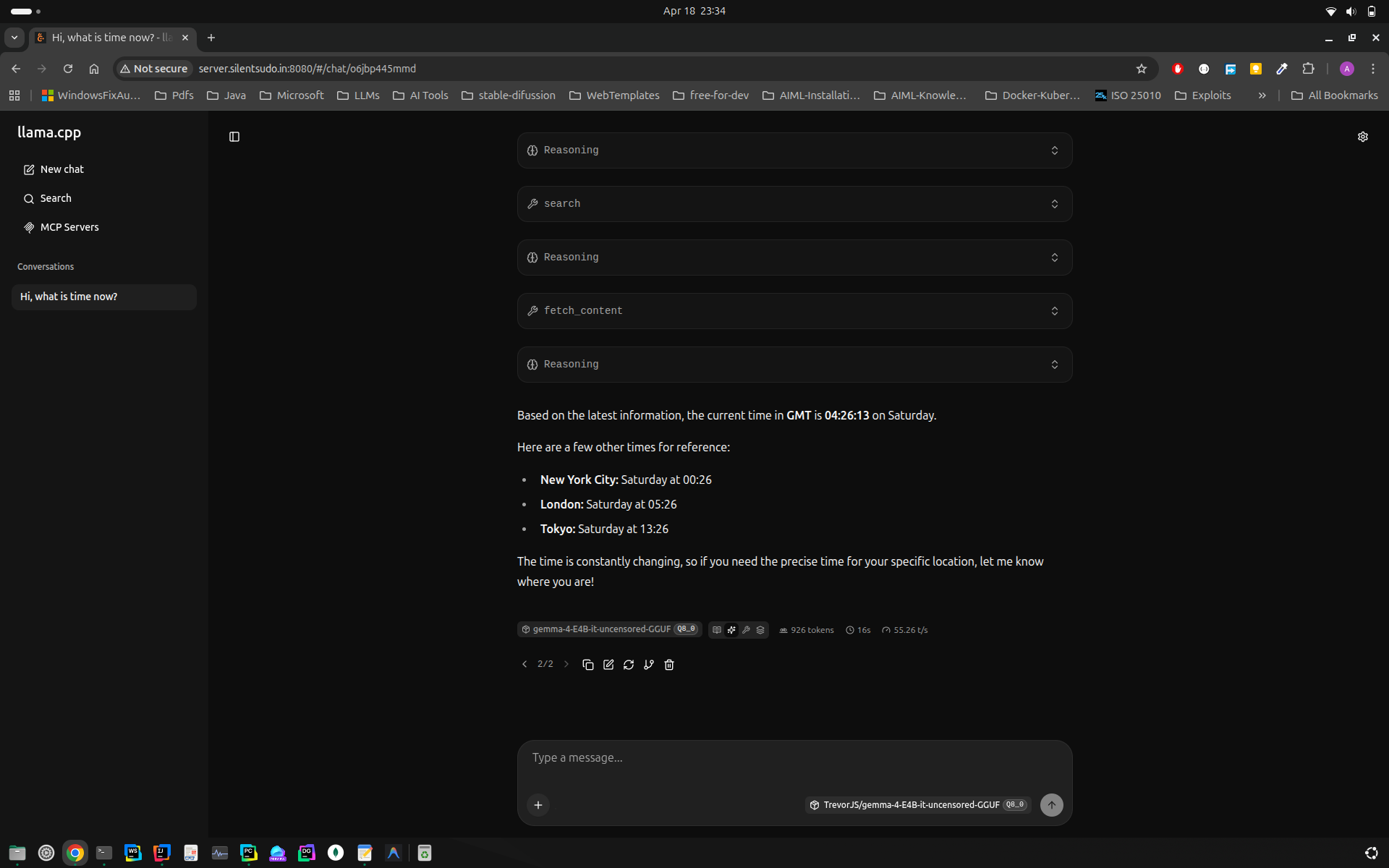
Run llama.cpp with Duck Duck Go Search
Sad Local Story
I am mostly using local llms for my basic automation activities and general ai usage. The biggest problem i faced was absence of updated information from llm, often i had to switch to google search or gemini for updated information.
We have already seen in previous blogs how LLM can interact with tools and and execute tool_calling functionality. When we need to get information from the internet which is frequently changing and the data source is not managed by us, then writing tool and maintaining it is a big headache.
Motivation: Feeling Locally Rich with Poor Man's GPU
Then comes search engines to the rescue, Google being the most reliable and Duck Duck Go being also of the contender.
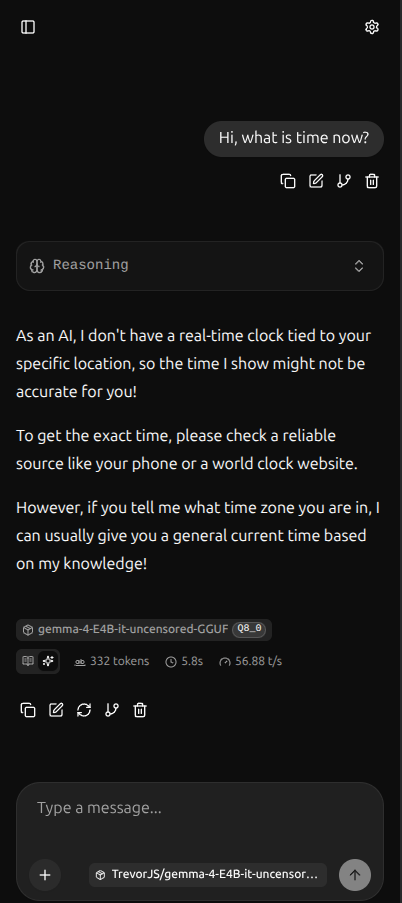
Let's see how the llama.cpp interface when invoked without MCP Server
We have a ready-made search mcp server available here https://github.com/nickclyde/duckduckgo-mcp-server
Some Hacker's Master class on Terminal
Following are the instruction to run it locally
1git clone https://github.com/nickclyde/duckduckgo-mcp-server.git
Change line as below:
 1diff --git a/src/duckduckgo_mcp_server/server.py b/src/duckduckgo_mcp_server/server.py
 2index 1ca940b..a8ed4db 100644
 3--- a/src/duckduckgo_mcp_server/server.py
 4+++ b/src/duckduckgo_mcp_server/server.py
 5@@ -247,7 +247,7 @@ class WebContentFetcher:
 6
 7
 8 # Initialize FastMCP server
 9-mcp = FastMCP("ddg-search")
10+mcp = FastMCP("ddg-search", host="0.0.0.0")
Installed fastmcp using pip install fastmcp in custom venv not with uv
Running Server and Result
Ran server using:
1fastmcp run src/duckduckgo_mcp_server/server.py --transport streamable-http
Once this executes successfully, we should get server running at
1(.venv) ashish@p14s ~/PycharmProjects/duckduckgo-mcp-server main ± fastmcp run src/duckduckgo_mcp_server/server.py --transport streamable-http
2DuckDuckGo MCP Server initialized:
3 SafeSearch: MODERATE (kp=-1)
4 Default Region: none
5INFO: Started server process [25022]
6INFO: Waiting for application startup.
7[04/18/26 23:27:30] INFO StreamableHTTP session manager started streamable_http_manager.py:128
8INFO: Application startup complete.
9INFO: Uvicorn running on http://0.0.0.0:8000 (Press CTRL+C to quit)
Full http url is this http://0.0.0.0:8000/mcp
On browser it returns following response:
1{
2    "jsonrpc": "2.0",
3    "id": "server-error",
4    "error": {
5        "code": -32600,
6        "message": "Not Acceptable: Client must accept text/event-stream"
7    }
8}
MCP Server Configuration
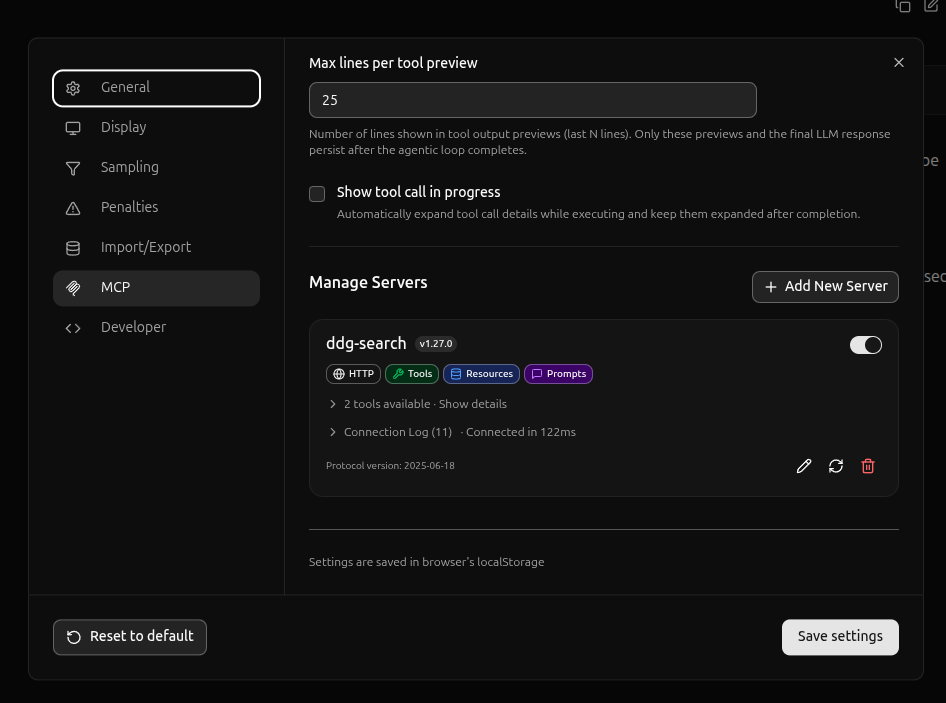
Result